Edit & Delete Clusters
Editing Clusters
- Clusters must be in Destroyed state before editing.
- All fields are editable except Cluster Type.
- Cluster Type cannot be changed after creation.
To change it, the user must delete and recreate the cluster.
Destroying Clusters
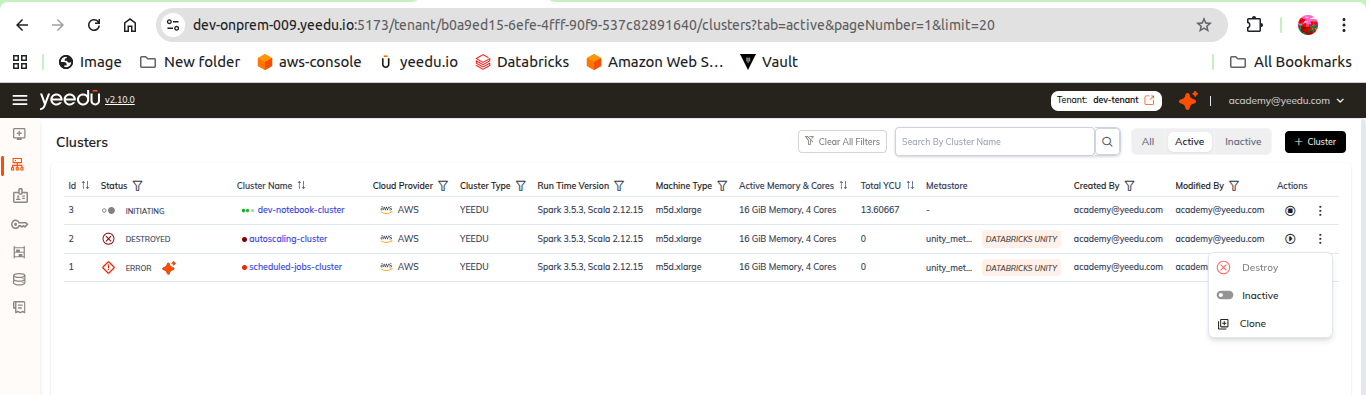
- A cluster can be destroyed from the Action tab.
Clone Cluster
- A cluster can be cloned from the Action tab.
Inactive/active Cluster
- A cluster can be inactivated/activated from the Action tab.
Start/Stop Cluster
- A cluster can be start/stop from the Action tab.
Editable Fields Include:
- Cluster Name & Description
- Runtime Version
- Instance configuration
- Spark Config
- Advanced options (init scripts, Hive Metastore, etc.)